
Download Triangulos – Educational Trigonometry Tool for Students
Overview
Triangulos is an educational mobile application designed to support primary and secondary school students in mastering foundational trigonometry concepts. The app focuses on simplifying the process of solving triangles by enabling users to input side lengths, after which it generates a visual representation and computes corresponding angles. This graphical approach transforms abstract mathematical principles into accessible, real-time visualizations, helping learners grasp geometric relationships more intuitively. The app serves as a supplementary learning tool for classroom instruction, offering immediate feedback and reinforcing theoretical knowledge with practical application.
Targeted at students navigating geometry and trigonometry curricula, Triangulos is especially useful for those who benefit from visual and interactive learning methods. By allowing users to explore triangle properties dynamically, it supports both classroom learning and independent study. The developer, Joe C. Jones, has created a focused utility that prioritizes clarity and educational value over complex features. Although the developer did not provide additional technical details, the app’s long-standing presence since its release on March 10, 2008, suggests a stable and reliable tool that has stood the test of time in the educational app ecosystem.
Key Features & Functionality
- User-Friendly Interface: Designed with younger learners in mind, the interface emphasizes simplicity and intuitive navigation. Students can input side lengths without requiring prior technical knowledge, enabling seamless engagement with mathematical concepts.
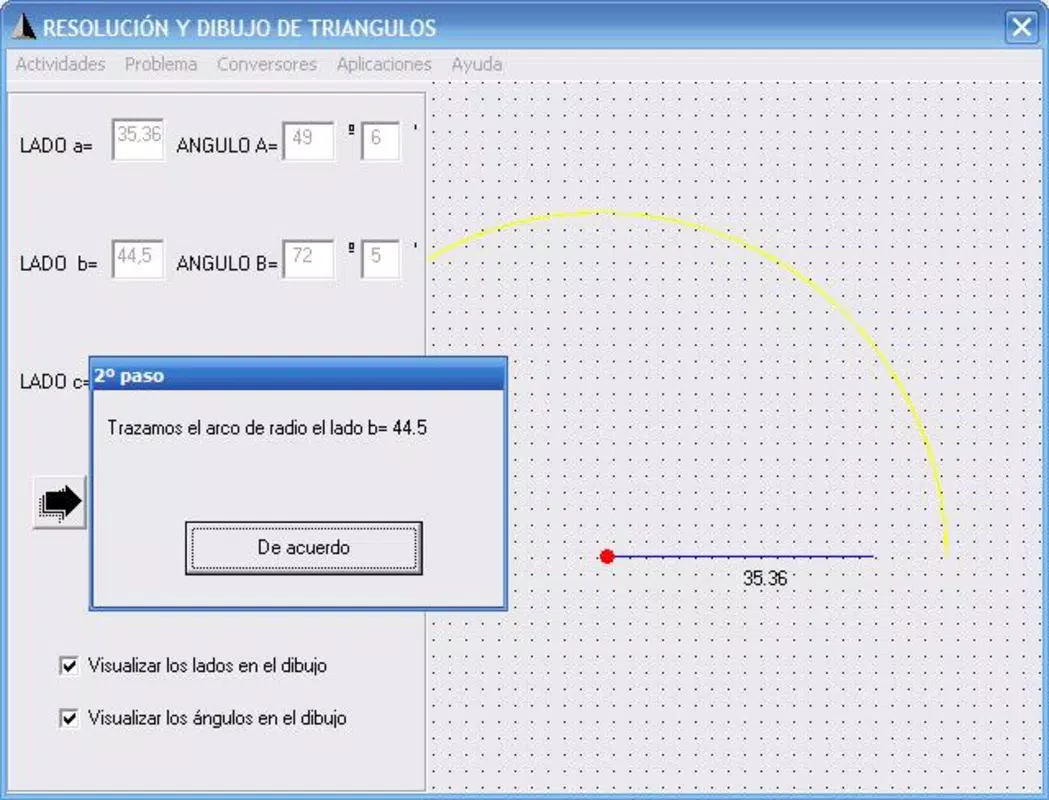
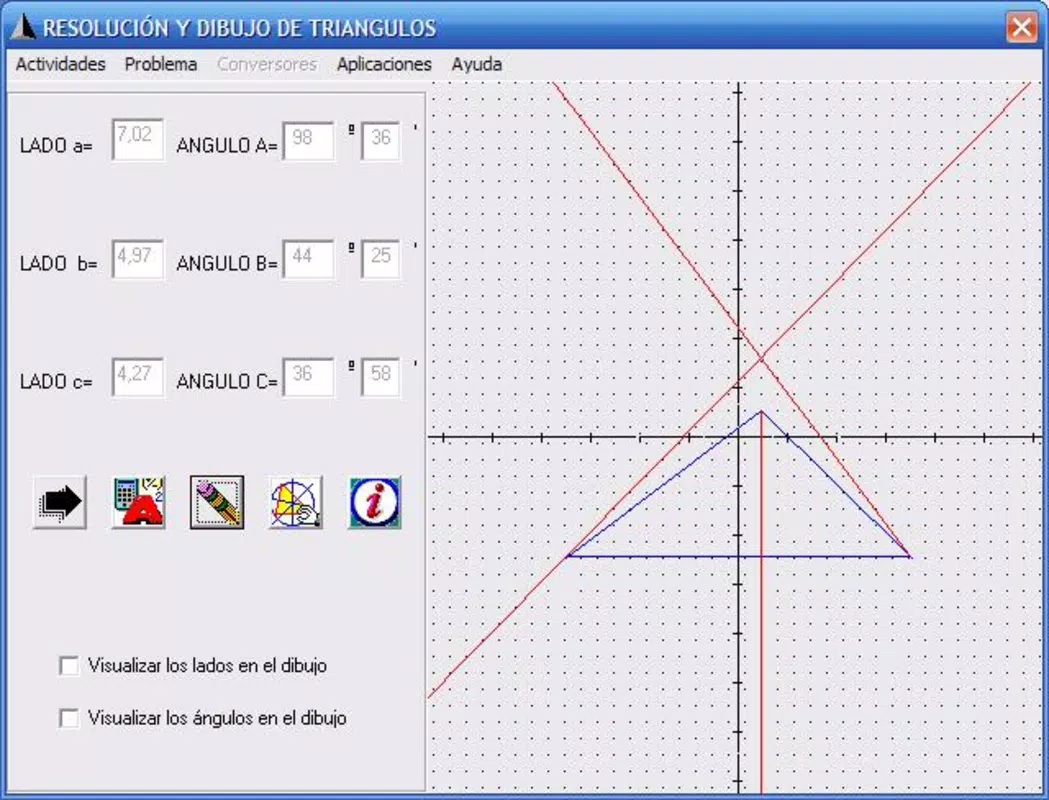
- Graphical Triangle Representation: Once side lengths are entered, the app generates a clear, accurate visual depiction of the triangle. This feature enhances spatial understanding and helps students connect numerical data with geometric forms.
- Comprehensive Calculations: Triangulos computes key triangle centers, including the barycentre, circumcentre, orthocentre, and incircle. These calculations provide deeper insight into triangle symmetry and properties, supporting advanced learning beyond basic trigonometric functions.
- Step-by-Step Guidance: The app breaks down the process of constructing and analyzing triangles into visual steps. This methodical approach helps students understand not just the result, but the reasoning behind each calculation, promoting analytical thinking and problem-solving skills.
- Practice and Correction: Beyond verification, the app functions as a practice platform. Users can attempt various triangle problems and receive immediate feedback, encouraging iterative learning and confidence development in trigonometric reasoning.
Real-World Use Cases
Students can use Triangulos to verify homework solutions, explore different triangle configurations, or prepare for exams. Teachers may also incorporate it into classroom demonstrations to illustrate geometric principles dynamically. Its ability to visualize abstract concepts makes it a valuable asset in both formal education and self-directed study environments.
Interface, UX & Performance
The app features a clean, minimal interface with a focus on clarity and ease of use. Input fields are clearly labeled, and visual outputs are displayed in a well-organized layout, minimizing cognitive load for young users. Navigation is straightforward, allowing students to input data, view results, and access additional features without confusion.
Although the developer did not list formal performance metrics, the app’s lightweight file size of 4.3 MB suggests efficient resource usage. It is likely optimized for a range of Android devices, including older models. Responsiveness appears to be consistent, with quick rendering of graphical outputs after input. Stability is implied by the app’s long availability since 2008, indicating sustained functionality across device generations. However, specific compatibility details were not disclosed, and no information was provided about required hardware or OS versions.
Platform Compatibility & Technical Requirements
Triangulos is available on the Android platform. The current software version is 1.0.1, with a file size of 4.3 MB. The app is offered at no cost, making it accessible to a broad audience.
The developer did not specify minimum OS requirements or device compatibility details. As such, users should ensure their device meets general Android standards for running basic educational applications. No information was provided about support for iOS or other platforms.
Pros and Cons
- Free to download and use, making it accessible for students and educators
- Simple, intuitive interface designed for younger learners
- Visual representation of triangles enhances conceptual understanding
- Step-by-step guidance supports independent learning
- Offers comprehensive calculations for key triangle centers
- No information provided about minimum OS or device requirements
- Platform availability limited to Android only
- Outdated release date (2008) raises questions about modern compatibility
- Developer did not disclose update frequency or future development plans
- Limited information on accessibility features or customization options
FAQ
Is Triangulos safe to download and install?
Yes, the app is free and available through official Android channels. As it has been in use since 2008, it has a long history of stable operation. However, users should ensure they download from trusted sources to maintain security.
Can I use Triangulos on iOS devices?
Currently, the app is only available on Android. No information was provided about iOS compatibility or future plans for cross-platform support.
Does the app require internet access?
Based on available information, Triangulos appears to function offline. All calculations and visualizations are processed locally, which supports use in classrooms without consistent internet connectivity.
How often is Triangulos updated?
The developer did not disclose update frequency. The app’s version was last updated in 2008, which may indicate limited ongoing maintenance. Users should monitor official sources for any future updates.
Is Triangulos suitable for classroom use?
Yes, the app’s educational focus, visual learning approach, and step-by-step guidance make it a suitable tool for classroom demonstrations and student practice. Its simplicity supports both teacher-led instruction and independent study.
Final Thoughts + CTA
Triangulos stands as a dedicated educational tool that brings trigonometry to life through visual learning. With its emphasis on clarity, intuitive design, and step-by-step problem-solving, it supports students in developing a deeper understanding of triangle geometry. While its age and lack of modern updates may raise compatibility concerns, its core functionality remains relevant for learners who benefit from visual and interactive methods. For educators and students seeking a free, focused utility to reinforce classroom lessons, Triangulos offers lasting value.
Download Triangulos now


